Guides de l'utilisateur
1. Vidéo de démonstration
Il s'agit d'une Démonstration de 6 minutes pour vous présenter à quel point il est facile d'utiliser cet agenda électronique.
2. Comment inscrire votre garderie
Une fois que vous aurez décidé d'utiliser cet agenda électronique, il y aura deux façons d'inscrire votre garderie dans notre système:
A. Votre garderie fournit les courriels du directeur et des éducateurs. Nous vous envoyons une invitation à vous inscrire.
B. Nous vous guidons pour créer un Gmail professionnel gratuit pour que les gestionnaires et les enseignants utilisent E-agenda.
Nous vous recommandons la méthode B, car tous les enseignants ne souhaitent pas utiliser leur messagerie personnelle pour le travail.
3. Comment enregistrer Gmail d'entreprise gratuite
Étape 1
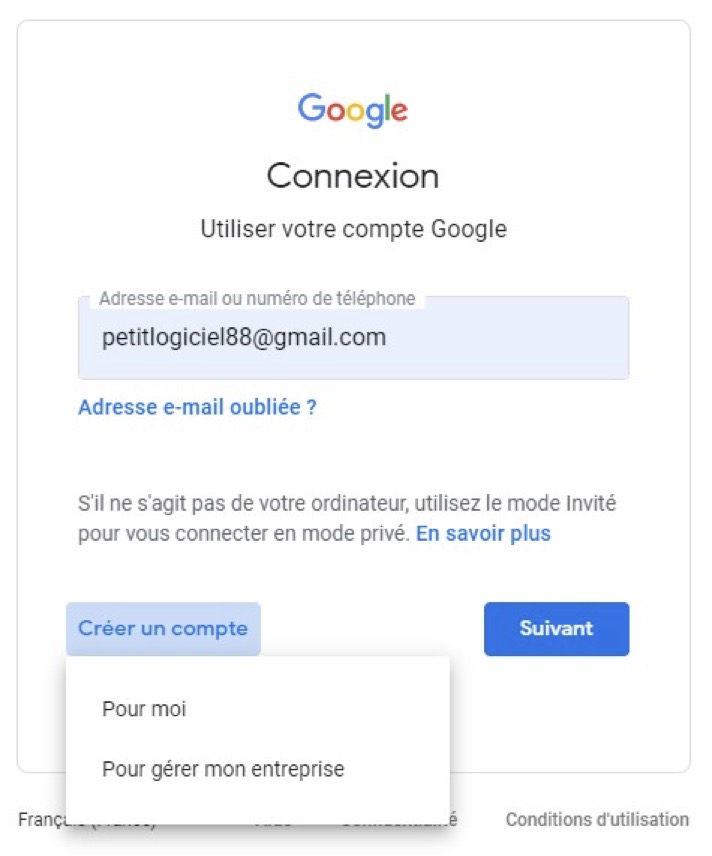
Étape 2
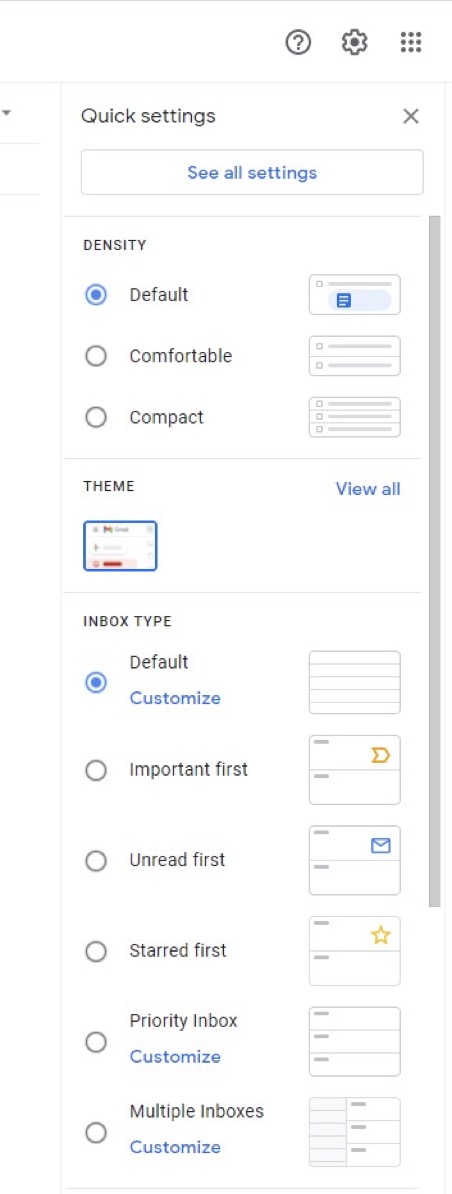
Étape 3
Étape 4
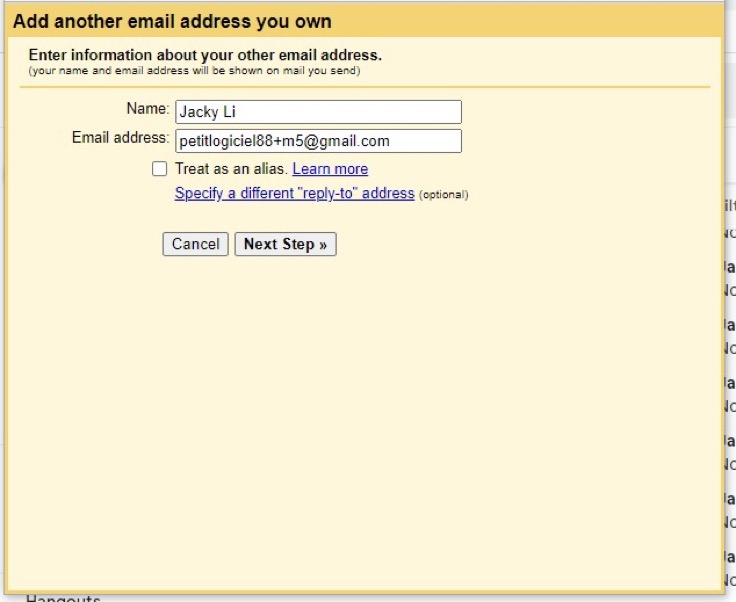
4. Comment enregistrer les enfants et les éducateurs
Étape 1: Une fois votre garderie inscrite à notre agenda électronique, le responsable de la garderie peut s'inscrire pour inscrire les enfants.
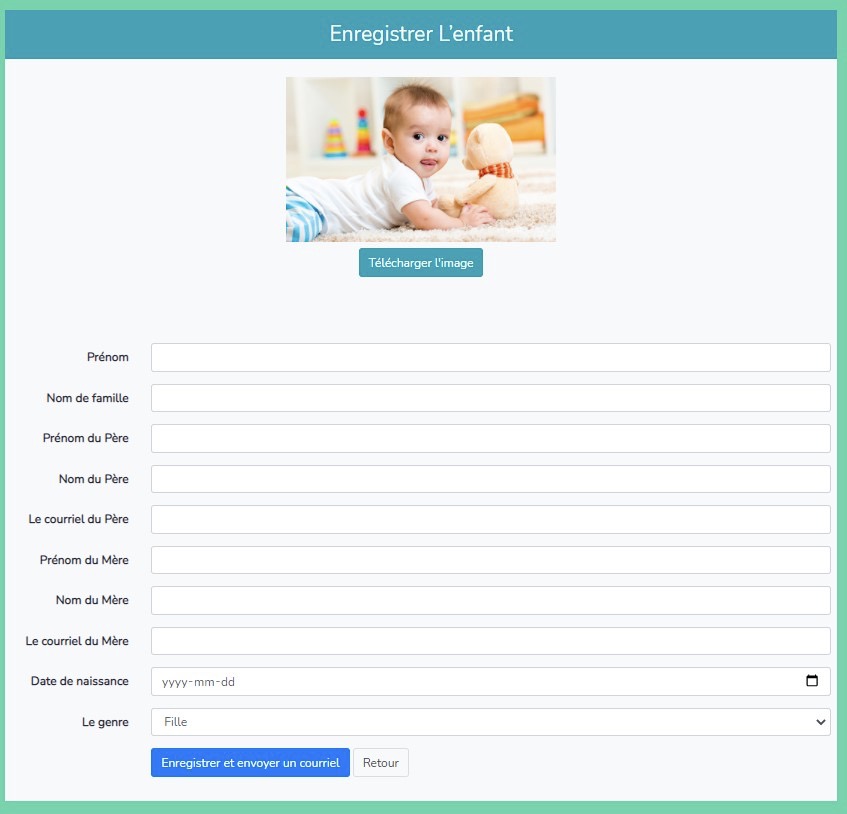
Étape 2: Dès que le responsable a enregistré un enfant, les parents recevront une invitation à s'inscrire. Une fois les parents inscrits, l'enfant sera inscrit dans E-agenda.
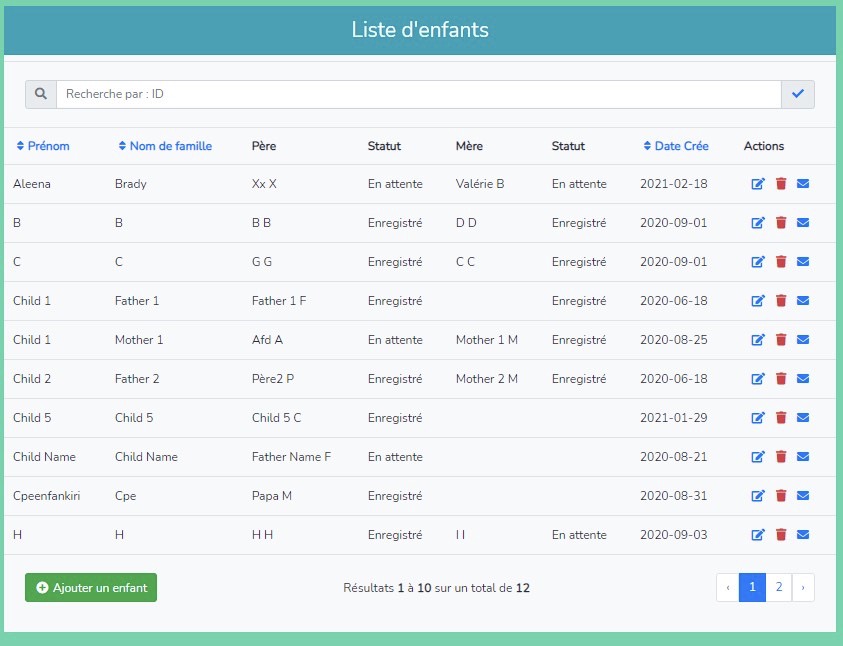
Même procédure avec l'inscription des éducateurs.
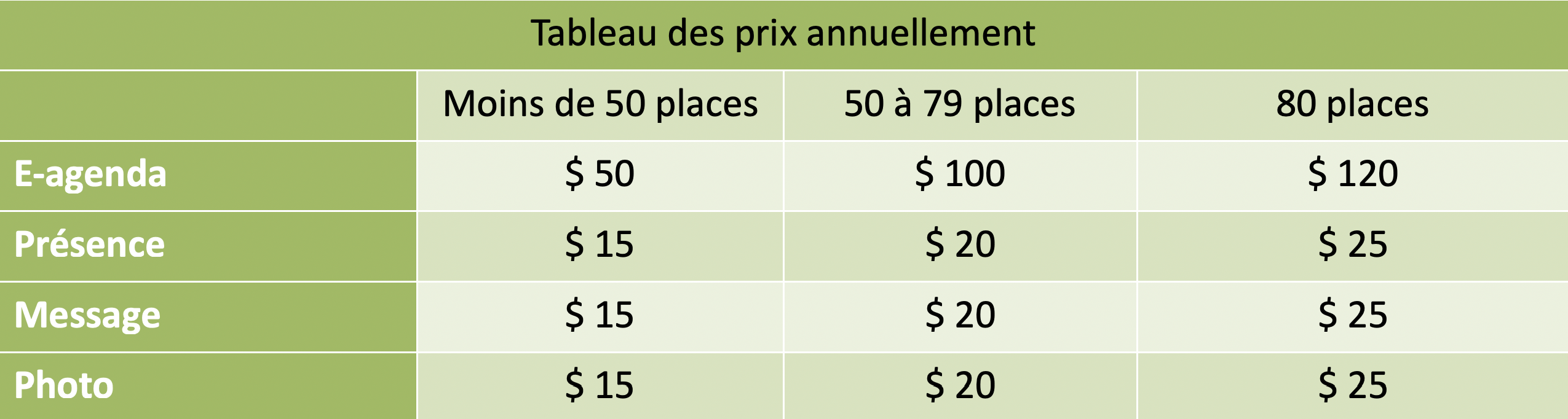
5. Le prix